F5 ASM HTTP Protocol Compliance: Body in GET or HEAD requests
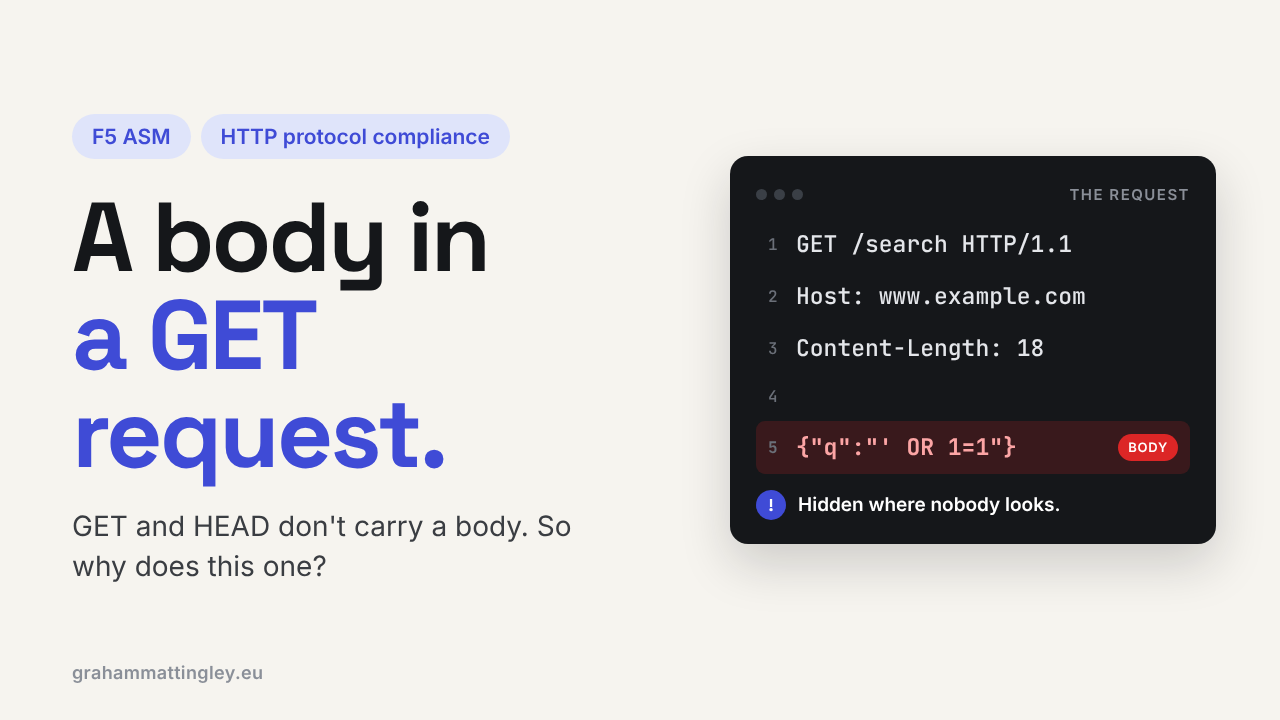
Oct 25, 2026Why is F5 ASM flagging a GET or HEAD request that contains a body?
Introduction
A GET request asks for something. A HEAD request asks for the same thing but only wants the headers back. Neither of them normally carries a body.
But some clients send one anyway. Test tools, badly designed APIs and some integrations put JSON or form data after the headers on a GET, and the F5 ASM check Body in GET or HEAD requests picks it up.
It is not that every GET with a body is an attack. The problem is that nobody agrees on what a body on a GET means, so every device in the path may handle it differently.
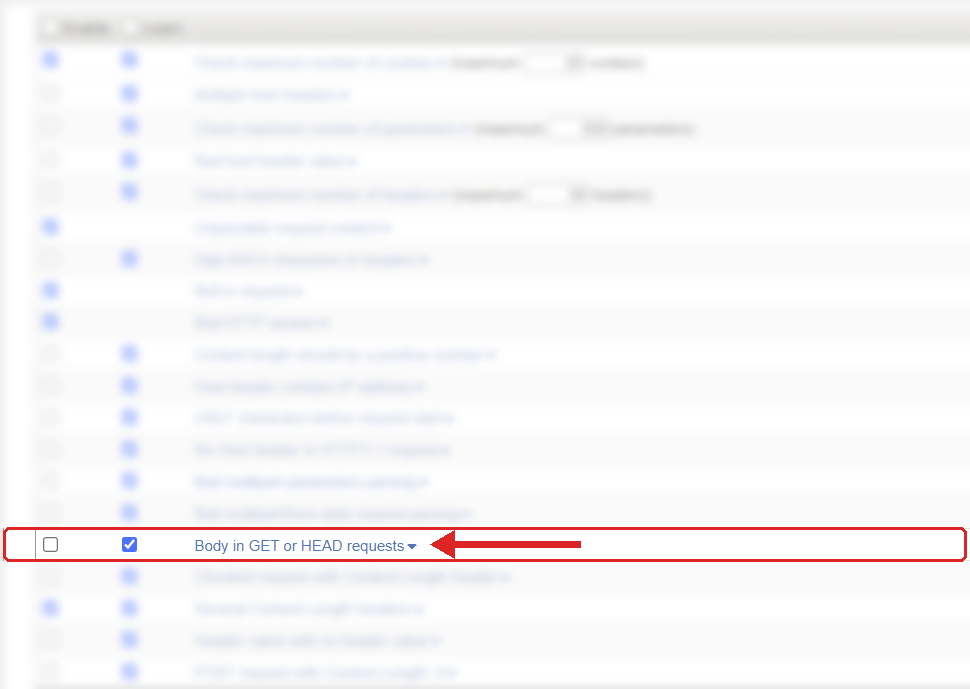
Where to find it: Security › Application Security › Policy Building › Learning and Blocking Settings › HTTP protocol compliance failed. Settings shown are from my lab.
The Problem
HTTP lets a client send bytes after the headers on any method. That is just how the message framing works. But for GET and HEAD the body has no defined meaning. It should not change what the request is asking for, and the standard warns that servers may reject it.
So you end up with this situation. One device reads the body and passes it on. Another ignores it. A cache treats two GETs to the same URL as the same request, even though the bodies were different. And the application happily reads the body and acts on it.
The most common real example is an API that someone decided was "read only, so it should be a GET":
GET /reports/export HTTP/1.1
Host: reports.example.com
Content-Type: application/json
Content-Length: 39

{"from":"2026-01-01","to":"2026-01-31"}
The search criteria are not in the URL, they are hidden in a body that half the devices in the path don't expect. It works when the developer tests it straight against the server. It fails through the virtual server.
How to Recognise It
The classic symptom is "it works in dev, it fails in production". The client gets a blocking page or a 403, and the application team can't find the request in their logs because ASM stopped it before the pool member.
In the request log, look for HTTP protocol compliance failed with the sub-violation Body in GET or HEAD requests. Open the raw request, check the method on the request line, and then look for a Content-Length above zero, Transfer-Encoding: chunked, or actual data after the blank line.
Be careful here. A Content-Type header on its own does not mean there is a body. Nor does Content-Length: 0. You need real content, or a header that declares some.
Postman is a regular source of this one. It makes it very easy to pick GET, paste some JSON into the Body tab and send it.
The Risk
The first risk is operational. A report, a search, a monitoring probe or a partner integration that has worked for months stops working the day the policy goes to blocking.
The bigger one is inconsistent handling. When devices in a chain disagree about whether there is a body and where it ends, you are into request smuggling territory, where one device inspects one request and the next device processes something else. A body on a GET does not automatically mean smuggling, but it is an unusual pattern that makes the request much harder to reason about.
There is also caching. If the application uses the body to decide what to return, but a cache in front only looks at the URL, users can get somebody else's results. That is the sort of fault that takes days to track down.
Mitigation
Fix the API design, not the WAF.
If it is a simple lookup with a few non-sensitive filters, put them in the query string:
GET /reports/export?from=2026-01-01&to=2026-01-31
Don't move sensitive data into the URL just to get rid of the body, though. Query strings end up in browser history, access logs and monitoring tools. If the request needs structured data, a lot of filters or anything sensitive, make it a POST and keep the body.
Changing the method is a proper change. The route has to accept POST, the documentation and the clients need updating, and any caching has to be thought about again.
If the original client looks fine, check whether a gateway, proxy or iRule in front of BIG-IP is adding the body.
The setting is in Security › Application Security › Policy Building › Learning and Blocking Settings, under HTTP protocol compliance failed. Blocking is set on the parent violation and the sub-violations are enabled individually. This one is not always switched on, so check your own policy. I would recommend enabling it, watching the log for a while to find who is sending bodies on GETs, and then getting those clients fixed.
Gotchas and Limitations
This is about the request, not the response. A HEAD response must never have a body either, but that is a different rule and not what this check looks at.
Query string parameters are fine. GET /products?category=networking&page=2 is perfectly normal GET usage and has nothing to do with this check.
And a direct test against the application server proves nothing about the full path. The standard is quite clear that a body on a GET only works if every device in between knows about it, and in a real network with F5, a CDN, a proxy and a cache, they won't.
Takeaway
Body in GET or HEAD requests means a client has sent content on a method where content has no agreed meaning. Capture the raw request, confirm there is real data after the headers, and then fix the client: query string for simple lookups, POST for anything structured or sensitive. Leave the check on so these requests are seen and dealt with, not quietly passed through.
Get F5 in Practice by email
One practical F5 insight at a time, written by me from work I've actually done.
Your email stays with me. It is never shared.
No spam. I will never sell your information, for any reason.