F5 ASM HTTP Protocol Compliance: Header name with no header value
Oct 25, 2026Why is F5 ASM flagging a header name with no header value?
Introduction
Every HTTP header has the same shape: a name, a colon, then the value. The F5 ASM check Header name with no header value catches a header line that has the name but no colon to separate it from the value.
That sounds trivial, but it isn't. Headers are part of the request syntax, and every device in the path has to read them the same way. If one device treats a line as a header and another throws it away, they are no longer looking at the same request.
The thing to remember is that an empty value and a missing colon are two different things.
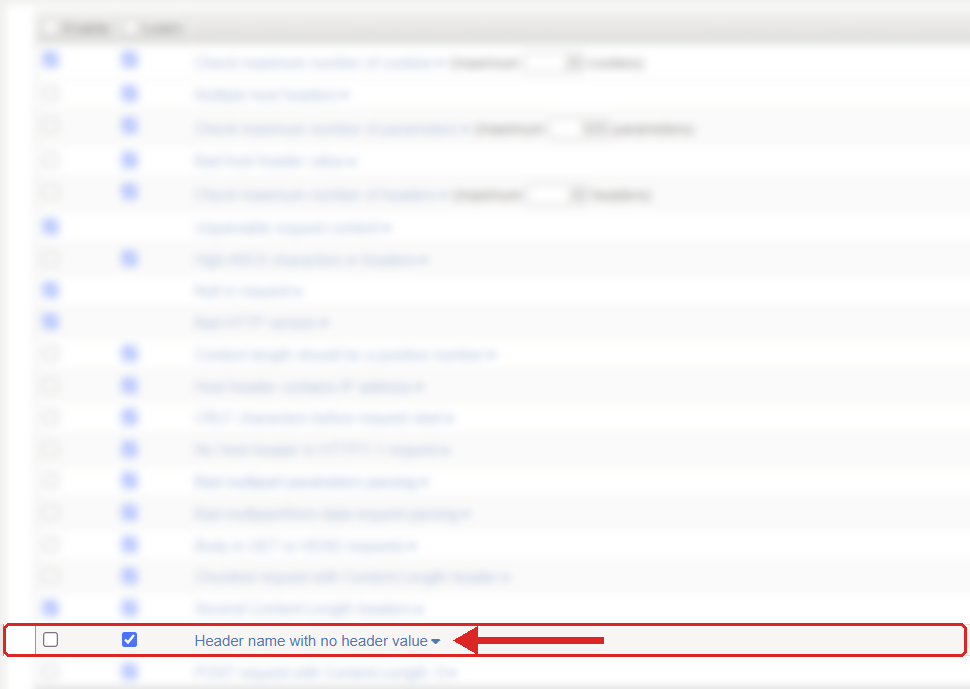
Where to find it: Security › Application Security › Policy Building › Learning and Blocking Settings › HTTP protocol compliance failed. Settings shown are from my lab.
The Problem
A normal header looks like this:
X-Request-ID: 7b51e0f3
A header with an empty value is still valid, because the colon is there:
X-Debug:
This one is not valid. There is no colon at all:
X-Debug
The HTTP/1.1 specification says a header line is a name, a colon, optional whitespace and a value, and the value is allowed to be empty. So "X-Debug:" is a header with nothing in it. "X-Debug" is not a header at all, it is a broken line in the middle of the headers.
F5 describes this check as a header name without a header value, and the older F5 guidance makes it clearer: it is about a header line that does not have the colon. It is not about rejecting every empty header.
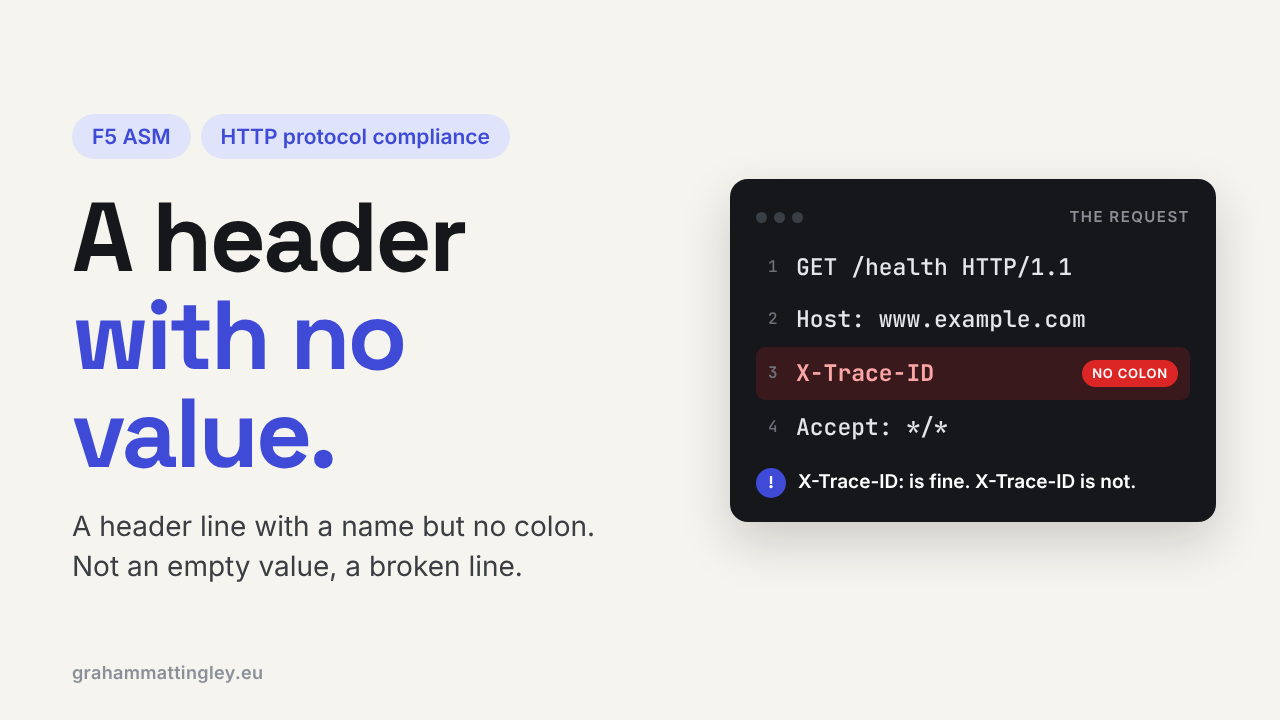
The usual cause is somebody building HTTP requests by hand. A monitoring script has an optional trace header, and when tracing is off, the code removes the value but leaves the name:
GET /health HTTP/1.1
Host: application.example.com
X-Trace-ID
It should either remove the whole line or send X-Trace-ID: with nothing after it.
How to Recognise It
A health probe, script or integration works straight against the server and fails through the virtual server. The application team can't see it in their logs, because ASM stopped it first.
In the request log, look for HTTP protocol compliance failed with the sub-violation Header name with no header value. Then look at the raw headers for a line with no colon in it.
Capture the request as close to the BIG-IP as you can. A lot of proxies and logging tools quietly drop or rewrite invalid header lines, so the request can look perfectly clean further down the path even though what arrived at the BIG-IP was broken.
Browsers and decent HTTP libraries don't do this. Look at hand-built requests, monitoring tools, embedded devices, old software and anything that writes HTTP as text.
The Risk
The day-to-day risk is that real traffic gets blocked. A monitor starts failing and the pool member gets marked down, or a partner integration stops working when the policy goes to blocking.
The security risk is parsing. Every device has to agree where each header starts and ends and where the headers finish. A broken line might be rejected by one device, ignored by another and joined onto the previous header by a third. Attackers go looking for exactly those differences, because that is where a WAF and an application end up seeing different requests.
The HTTP specification says a server receiving a malformed request should send 400 Bad Request and close the connection. A WAF should not try to guess what a broken header was meant to be. Rejecting it is the right answer.
Mitigation
Fix the sender. Find the component that writes the broken line, which could be the client or something in between such as a gateway, a proxy or an iRule that inserts headers, and fix the code that builds the header.
If the header is optional and there is nothing to send, leave the whole line out. That is nearly always the cleanest answer. If the application really needs an empty value, send it properly with the colon.
Be a bit careful with empty values, though. They can be valid syntax and still wrong for that header. An empty Host: header, for example, gets past this check but will cause problems elsewhere.
Better still, stop writing HTTP by hand. Use a proper HTTP library and let it format the headers.
The setting is in Security › Application Security › Policy Building › Learning and Blocking Settings, under HTTP protocol compliance failed. Blocking is set on the parent violation, and the sub-violations are enabled individually. I would recommend leaving this one on.
Gotchas and Limitations
X-Feature: and X-Feature are not the same thing. The first is valid with an empty value. The second is broken. This check is about the second.
Don't confuse it with the blank line at the end of the headers either. That line has no name at all, it just marks where the headers finish and the body starts, and it is meant to be there.
And please don't turn the sub-violation off for the whole policy because one old monitoring script is broken. Fix the script.
Takeaway
Header name with no header value usually means a header line arrived with no colon. Look at the raw request at the BIG-IP for a line like X-Header instead of X-Header: or X-Header: value, then fix whatever generated it. Leave the check on, so broken syntax stops at the WAF instead of being handled differently by every device behind it.
Get F5 in Practice by email
One practical F5 insight at a time, written by me from work I've actually done.
Your email stays with me. It is never shared.
No spam. I will never sell your information, for any reason.