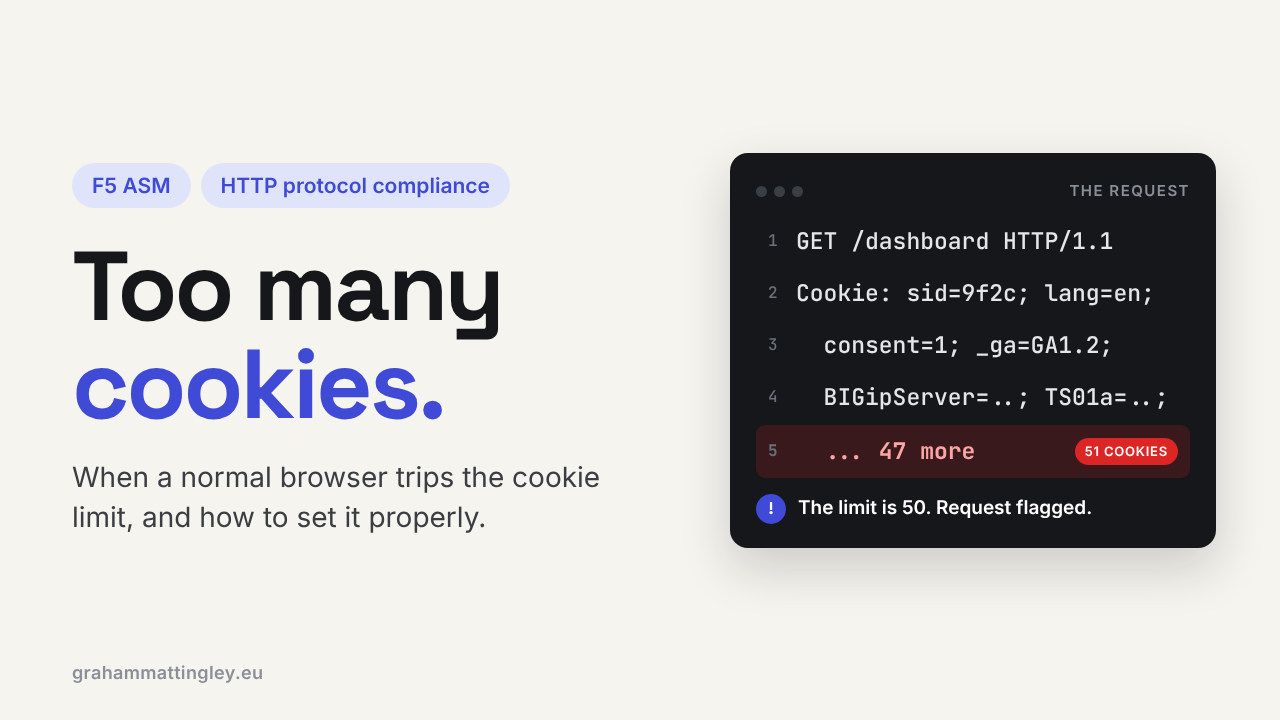
F5 ASM HTTP Protocol Compliance: Maximum Number of Cookies
Jul 02, 2026Why Is F5 ASM Blocking a Request for Too Many Cookies?
Introduction
Cookies are normal. Every application has them: sessions, authentication, language preferences, consent choices, load-balancer persistence, analytics, feature flags, and security controls. What do they do? They store information in the user's browser, sent by the web application, sometimes to improve performance or store preferences, sometimes for identification and authentication controls.
So, when F5 ASM or Advanced WAF reports “Check maximum number of cookies”, the immediate reaction is often: “How can too many cookies be an attack? This is just a normal browser.”
Sometimes it is normal browser behaviour. Sometimes it is an application design problem. And sometimes it is deliberately abnormal traffic intended to create an oversized or unusually complex request as a web server parser attack.
The important point is that this check is not deciding whether an individual cookie is good, bad, valid, or secure. It is simply checking whether the incoming request contains more cookies than the maximum number configured in the security policy.
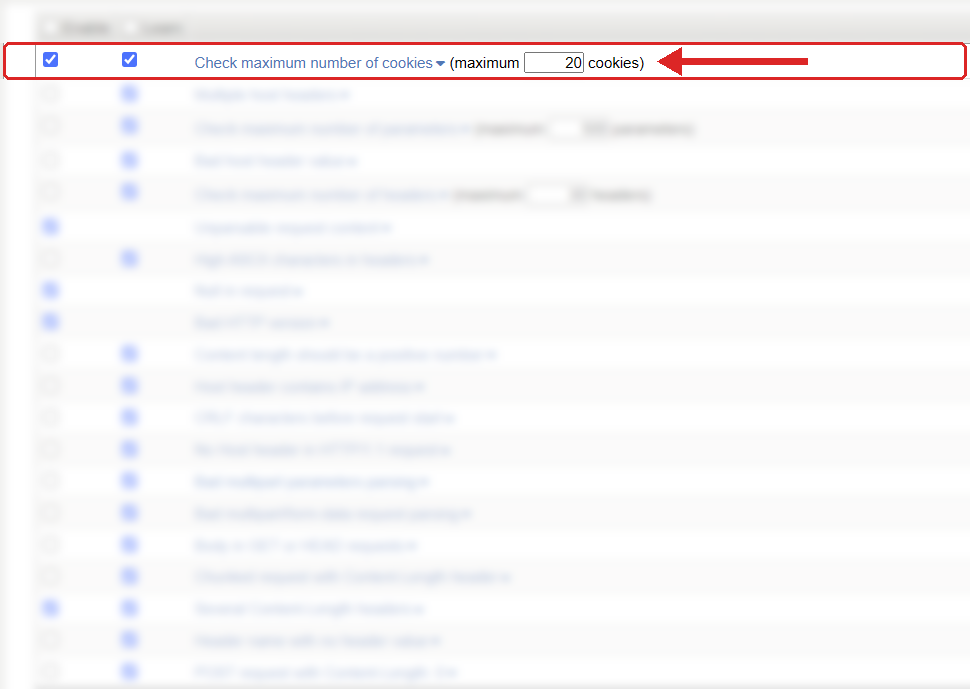
Where to find it: Security › Application Security › Policy Building › Learning and Blocking Settings › HTTP protocol compliance failed. Settings shown are from my lab.
The Problem
When a browser makes a request to a website, it may send a Cookie header in the HTTP request containing several cookie name-and-value pairs.
For example, a browser might send cookies for an authenticated session, a language preference, a consent banner, an F5 persistence cookie, and perhaps several cookies created by analytics or identity services.
F5 ASM compares the number of cookies in that request with the maximum configured value. If the request exceeds the configured limit, it triggers the HTTP protocol compliance failed violation “Check maximum number of cookies.” This is a specific HTTP protocol compliance sub-violation, and its enforcement behaviour depends on the parent violation’s enable and learning configuration. It is worth separating from two other checks that are often confused with it:
-
Maximum cookie header length concerns the total number of bytes in the cookie header. (This is found in the Policy Build Page)
-
Cookie enforcement or cookie validation concerns whether specific cookies or values comply with policy rules. (This is found in the entity Configuration)
-
Maximum number of cookies is simply a count-based limit.
A request can contain only five cookies but still have a very large cookie header because one cookie contains a large value. Equally, it can contain many small cookies and exceed the cookie-count limit while remaining small in total size.
How to Recognise It
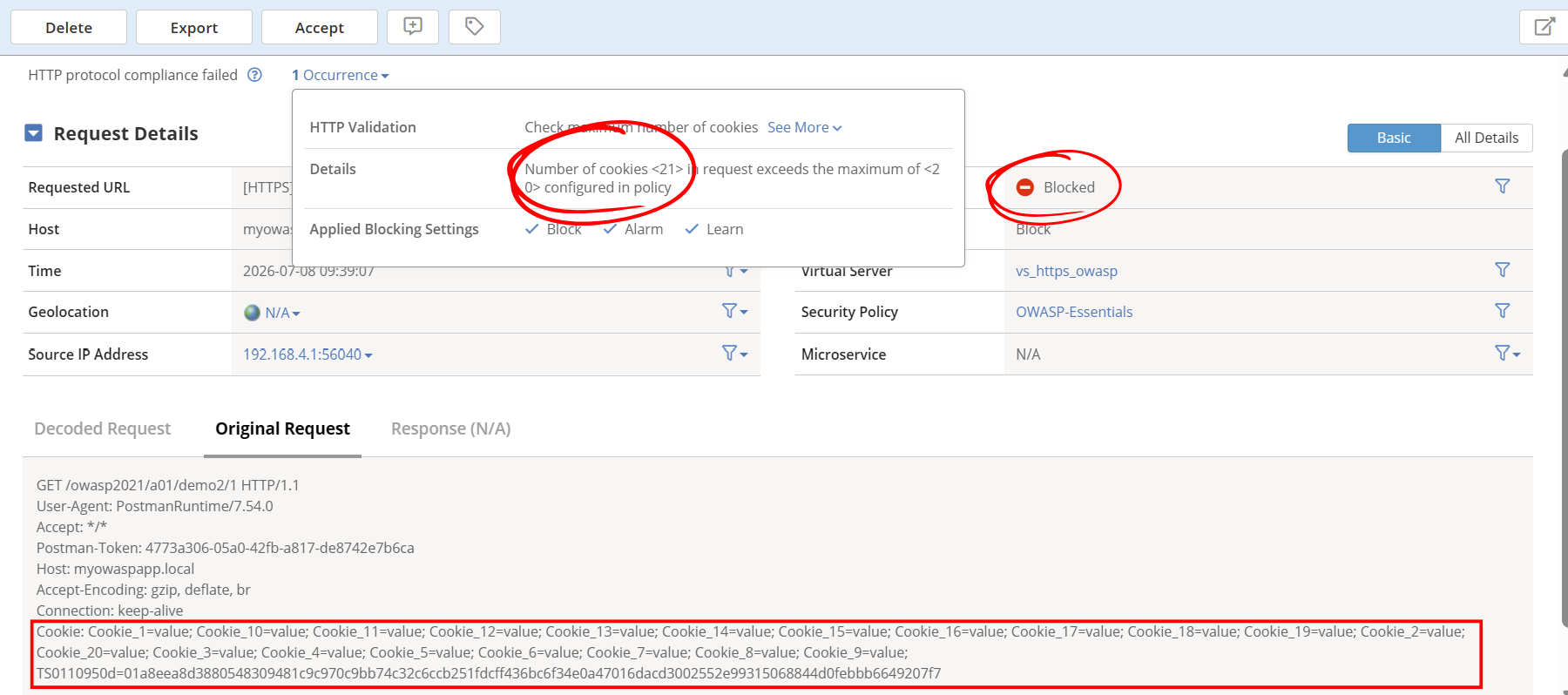
The most obvious sign is an ASM or Advanced WAF event showing an HTTP protocol compliance violation with the sub-violation “Check maximum number of cookies.”
Start by opening the individual request in the application-security event log. Do not just look at the violation name. Review the actual request and identify the cookies sent. A good place to start is the User-Agent (UA) Header to see if it is a browser or a machine/bot.
User-Agent: Mozilla/5.0 (Windows NT 10.0; Win64; x64) AppleWebKit/537.36 (KHTML, like Gecko) Chrome/150.0.0.0 Safari/537.36 Edg/150.0.0.0
In most browser requests, you will normally see one Cookie header containing several cookie pairs separated by semicolons. The HTTP cookie specification describes the request cookie header this way: browsers return stored cookies that match the request, rather than sending one request header per cookie. Some simple questions I always ask to understand what is going on:
Where did the cookies come from?
Are they all expected for this application?
Are they from the application itself, from the F5 platform, from an identity provider, browser add-on, or from a service sharing the same parent domain?
Did the problem occur only after a user logged in, accepted a consent banner, visited another application/subdomain, or installed a browser extension?
Also compare a failing request with a known-good request. You are not looking only for the total count. You are looking for the difference: which cookies appear only in the failing request, and why are they being sent to this host?
A large number of cookies also increases the workload on the web server and application when parsing the request. For example, 200 very small cookies may not generate much traffic, but the server must still parse, interpret, and process each cookie, which can increase parser overhead.
Most often, when the "Maximum number of cookies" is reached, you should first assess the scope of the issue.
- If it affects one user, it is probably something local to their browser, such as an extension, privacy tool, password manager, or AI/browser add-on.
- If it affects a group of users, look for something they share, such as SSO, a portal, a common application, or a corporate browser setting.
- If it affects everybody, it usually means something changed in the application or website, such as a new feature, analytics tool, marketing tracker, chat widget, or personalisation component.
The Risk
A high cookie count is not automatically an attack. A legitimate enterprise application can collect a surprising number of cookies over time.
However, an excessive number of cookies is unusual enough to warrant monitoring. It can indicate malformed traffic, scripted traffic, a badly behaved client, or an attempt to increase request complexity and consume more processing resources.
It can also reveal a more ordinary operational problem: different teams may have added cookies over time without considering the combined effect. The application team adds session cookies. The marketing team adds analytics tags. The identity team adds authentication cookies. The load-balancing team adds persistence. The security team adds protective cookies. Individually, each decision may be reasonable. Together, the browser begins sending a cluttered request on every page load.
The security risk is therefore not “having 50 cookies is inherently dangerous.” The risk is allowing an unlimited or poorly understood request shape into the application, while losing the ability to identify when the request has become abnormal.
A count limit gives the F5 ASM a basic sanity check. It helps distinguish ordinary client behaviour from traffic that falls outside what the application should realistically need.
Mitigation
The sensible approach is not to guess a number and immediately block anything above it.
First, enable the check in a controlled way with logging and learning available. Review real traffic over a representative period: logged-in users, logged-out users, mobile users, administrative users, users who have accepted cookies, and users arriving through any single sign-on or federation flow.
Then establish the highest legitimate number of cookies you actually see. Set the threshold above that number with sensible headroom; I would recommend maybe 5 to 10 more. The aim is to catch genuinely abnormal requests, not to block a real customer because an analytics platform added one more cookie last week.
For example, imagine that ordinary users send between eight and fourteen cookies, but users who have logged in through an identity provider can send eighteen. A limit of 25 may give you useful protection without being too tight. A limit of ten would create false positives. A limit of 100 might be so generous as to provide little practical value. The default for F5 TMOS 17 is a 50-cookie threshold.
Once the policy is behaving predictably, decide whether the sub-violation should remain enabled or disabled. F5 supports learning and blocking behaviour for policy violations, but blocking only takes effect when the security policy is in blocking mode. At the same time, fix the cause where possible. Blocking is a global setting on the "HTTP protocol compliance failed" group rather than each individual item
Reduce unnecessary cookies. Remove old or duplicate cookies. Avoid setting broad parent-domain cookies unless they genuinely need to be shared. Keep application cookies scoped to the narrowest sensible host and path. The cookie Domain and Path attributes determine which requests receive a cookie; a cookie scoped to a parent domain can be sent to that domain and its subdomains. This matters because a cookie created by one service can become visible to another service under the same parent domain. For example, a cookie scoped broadly to example.com may be sent to www.example.com, api.example.com, or admin.example.com, depending on the rest of its attributes. This is one of the most common reasons that I see cookies in a request that their own application did not directly create.
Gotchas and Limitations
Do not confuse cookies received by the browser with cookies sent to this application.
A browser can receive many Set-Cookie response headers from different responses, but it only sends back cookies whose scope matches the destination request. A cookie belonging to an unrelated third-party domain is not simply sent to your application because it exists in the browser. The key question is whether the cookie’s domain and path match the request. Remember that F5 components may contribute cookies. Depending on the configuration, this may include persistence, access policy functions, ASM security features, or other services in the traffic path. Do not assume that every cookie beginning with an unfamiliar name came from the application team.
Browser extensions are another possible source, although they are not the first thing to blame. An extension with cookie permissions and suitable host permissions can access or set cookies for the websites it is allowed to manage. By itself, it is not a reason for cookies to appear. An AI tool making an API request does not magically add browser cookies. But an AI-enabled browser, browser extension, automation tool, or embedded web client may maintain a cookie store if it behaves like a browser and receives Set-Cookie responses.
Finally, do not use this check as a substitute for proper cookie security. It does not prove that session cookies are protected with Secure, HttpOnly, appropriate SameSite settings, good session management, or correct domain scoping. It is a count limit: useful, simple, and deliberately narrow.
Takeaway
The "Check maximum number of cookies" setting is a request sanity check, not a judgement on whether cookies are good or bad.
Review real traffic first, identify where every legitimate cookie comes from, set a realistic threshold with headroom, and only then consider blocking. The first thing to check is always the actual Cookie header in a failing request not the assumption that your application is the only component capable of creating cookies.
Get F5 in Practice by email
One practical F5 insight at a time, written by me from work I've actually done.
Your email stays with me. It is never shared.
No spam. I will never sell your information, for any reason.