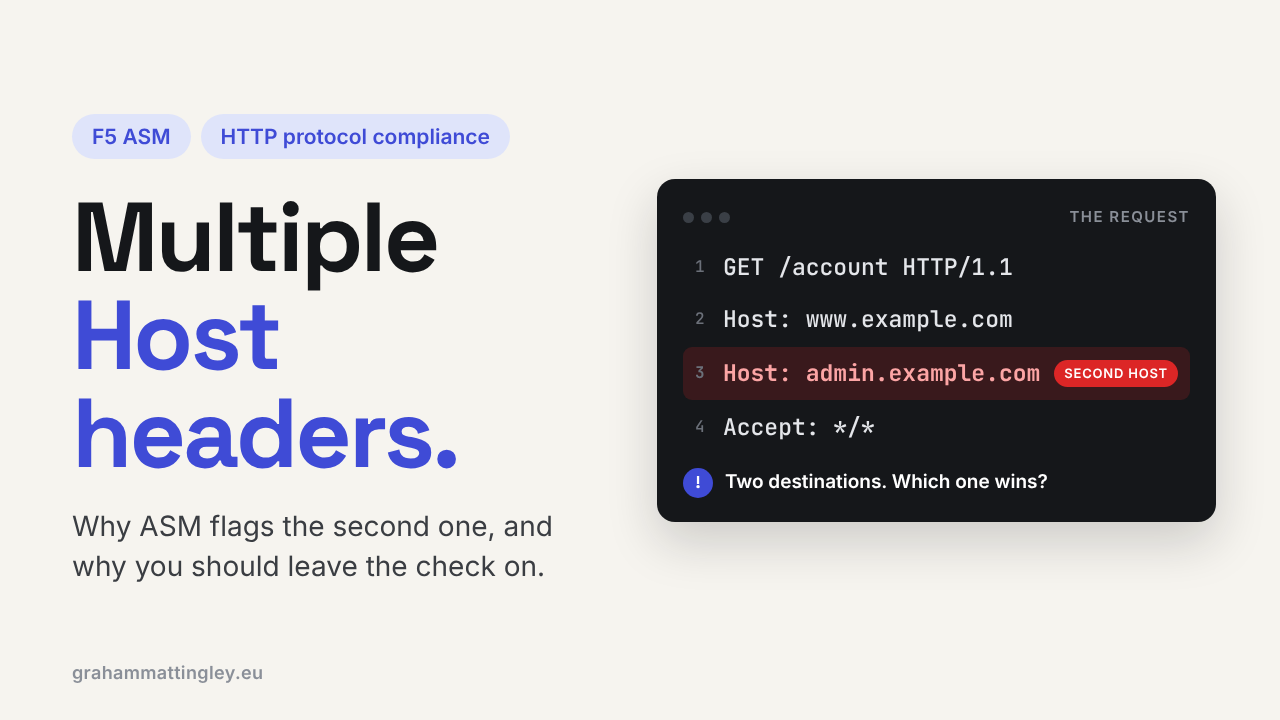
F5 ASM HTTP Protocol Compliance: Multiple Host Headers
Jul 08, 2026Why Does F5 ASM Block Requests with Multiple Host Headers?
Introduction
The Host The header is one of the most important components of web infrastructure, indicating which website the client is trying to reach. That matters because a single IP address, load balancer, reverse proxy, or web server can host many different applications and domains.
So, when F5 ASM or Advanced WAF reports Multiple host headers, it is not logging the unusual but harmless browser preference. It has detected a request that contains more than one Host header line.
The Host header needs to be protected and not tampered with, as it exposes all kinds of security risks, including data leakage, PII, and other major violations.
That is a malformed HTTP/1.1 request. More importantly, it creates ambiguity: if different devices in the request path choose different Host values, they may route, inspect, cache, or process the same request differently. It can also lead to inside / provate data being exposed on the internet.
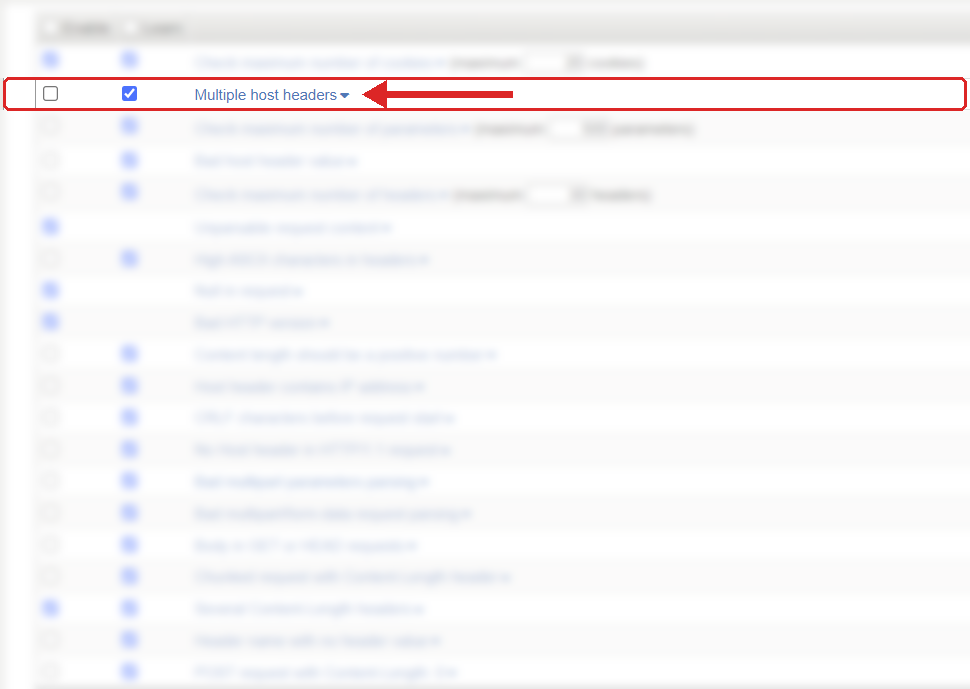
Where to find it: Security › Application Security › Policy Building › Learning and Blocking Settings › HTTP protocol compliance failed. Settings shown are from my lab.
The Problem
In a normal HTTP/1.1 request, there should be one Host header.
For example:
GET /account HTTP/1.1
Host: www.example.com
The Host value identifies the intended website or virtual host. It allows multiple applications to share the same IP address while still receiving the correct traffic.
A duplicate HOST header request looks like this:
GET /account HTTP/1.1Host: www.example.com
Host: admin.example.com
The problem is not simply that the request contains an extra line. The problem is that the request now gives two potentially conflicting instructions about its destination.
Which one should be trusted?
Should the edge proxy use the first value? Should the WAF use the last one? Should the web server reject the request? Should an application framework combine the values, ignore one, or use a default site?
HTTP/1.1 is clear on this point: a client must send a Host header, and a server must respond with 400 Bad Request if the request contains more than one Host header field line. Multiple host headers: an HTTP protocol compliance check exists to detect that malformed condition. When enabled, it checks that a request contains only a single Host header. F5 documents the check as enabled by default in the relevant policy configuration. Recognise It
The usual place to see this is in the F5 ASM or Advanced WAF event log.
The request will show the parent violation HTTP protocol compliance failed, with the sub-violation Multiple host headers. Open the individual event and inspect the actual request headers. This is a serious issue and must be handled as such, as it can lead to data leakage if combined with the right server configuration.
You are looking for two separate header lines named Host.
It is useful to distinguish that from other host-related issues:
-
One
Hostheader with an unexpected value is not the same as multiple Host headers. -
An
X-Forwarded-Hostheader is not itself a second Host header, although it can create a separate trust problem if the application uses it carelessly. -
A request using HTTP/2 may use the
:authoritypseudo-header to identify the target authority. That is related to the same routing concept, but it is not the same thing as two HTTP/1.1Hostheader lines.
If the event is genuine, work backwards through the request path.
Was the request created by a normal browser, a mobile application, an API client, a vulnerability scanner, an integration partner, a reverse proxy, or a test tool such as Postman, Burp Suite, curl, or a custom script?
Most normal browsers will not generate duplicate Host headers. When you see this in production traffic, it is commonly deliberate test traffic, malformed automation, or an intermediary that has incorrectly added a Host header without removing or replacing the original.
The Risk
The key risk is ambiguity across devices, leading to failed checks that can cause the wrong website to respond to the bad request; for example, an internal website could reply on an outside interface from a public IP.
A public request may travel through a CDN, a reverse proxy, an F5 virtual server, an application gateway, a web server, and finally an application framework. Each of those components must determine which application the request belongs to.
If every component rejects duplicate Host headers, there is no ambiguity. The request is simply rejected.
The risk appears when different components behave differently. One device might use the first Host header. Another might use the second. Another might ignore both and use a default virtual host.
That difference can lead to the wrong application receiving the request, the wrong security controls being applied, or a request being cached under an unexpected site identity.
For example, imagine a shared environment where www.example.com is the public site and admin.example.com is intended only for internal administrators. An attacker sends one Host header for the public site and one for the administrative site.
If the front-end component treats the request as public, but a downstream web server routes it to the administrative virtual host, you have created a dangerous mismatch between what the security layer thought it was protecting and what the backend actually processed.
This is closely related to the wider family of Host-header trust problems. OWASP notes that unsafe handling of host values can lead to incorrect virtual-host routing, attacker-controlled redirects, cache poisoning, password-reset poisoning, or exposure of virtual hosts that were not meant to be publicly reachable. The Host header does not automatically prove that any of those things can happen. It is the malformed input that creates the opportunity for inconsistent interpretation. The actual impact depends on the behaviour of the proxies, web servers, caches, and application code behind the WAF.
Mitigation
For most applications, the sensible mitigation is straightforward: leave the Multiple host headers check enabled.
There is NO legitimate reason for a standard HTTP/1.1 client to send two Host header lines !!!.
Disabling the check simply allows malformed traffic further into the environment, where different components may interpret it less consistently.
When you see a hit, first confirm whether F5 blocked or only logged it. F5 violations can be configured for learning, alarm, or blocking; blocking is available only when the security policy is operating in blocking mode. Identify the component generating the violation and multiple Host Headers.
If it is a client-side script, test tool, or integration, fix the request so it sends exactly one Host header. However :-), having dealt with this many times in my own work, this is not always possible to deal with test teams. An alternative resolution is to add the test machine IP to the bypass list, so it bypasses all ASM checks.
Also check the backend application configuration. This is critical: internal websites should be locked down to only respond on internal interfaces; however, this is often not the default, so a quick install of a website and the application is set to respond on any interface and if the Host header matches, then the internal data is on the public internet.
Applications should not make security decisions based on an arbitrary host-related header from the client. If the application generates absolute URLs, redirects, password reset links, tenancy decisions, or canonical links that use the request host, it should use a trusted allowlist of expected public hostnames. This can also be handled on the F5 ASM in a different part of the configuration.
That application-side control matters because F5 can reject malformed duplicate Host headers, but it cannot make an application safe if the application blindly trusts a single attacker-supplied Host value that is otherwise syntactically valid.
Gotchas and Limitations
Do not treat every host-related header as interchangeable.
Host, X-Forwarded-Host, Forwarded, and HTTP/2 :authority may all carry host or authority information, but they have different roles and different trust boundaries.
The Multiple host headers check is specifically about multiple Host header lines. It does not automatically protect an application that trusts X-Forwarded-Host from an untrusted client. OWASP specifically highlights that applications can remain exposed when they validate the Host header but instead process an attacker-controlled forwarded-host header. not respond to a genuine hit by creating a broad WAF exception without understanding the cause.
A duplicate Host header from a known internal proxy may be a configuration defect, but it is still a defect. Fix it at the component producing the malformed request. Otherwise, the exception may later allow a more serious routing or host-header attack to pass through.
Finally, remember the difference between a duplicate Host header and a mismatched destination. Also, some web servers can respond with the default website rather than the intended one if two headers are detected.
A request can contain only one Host header and still be problematic if its value is not one of the hostnames your application is supposed to serve. That is a separate validation question. This particular check only confirms that there is one Host header, not that the hostname is authorised for the application. If you check the HTTP complIcen section on the F5 ASM, you will notice many protections for the HOST header; this is one of the most important headers to protect
4 out of the 20 HTTP compliance checks involve the Host Header!
- Multiple host headers
- Bad host header value
- Host header contains IP address
- No Host header in HTTP/1.1 request
This will also fire if there is an empty Host Header like below
Host: www.example.com
Host: {empty}
Takeaway
Multiple Host headers are not normal browser traffic. They create an ambiguous request that different devices may interpret differently.
Leave the F5 ASM or Advanced WAF check enabled, inspect the raw request when it triggers, and fix the client or intermediary that produced the duplicate header. The first thing to check is simple: does the request contain two actual Host: lines, and where in the traffic path was the second one added?
Get F5 in Practice by email
One practical F5 insight at a time, written by me from work I've actually done.
Your email stays with me. It is never shared.
No spam. I will never sell your information, for any reason.